blueprint studio
Plan new products.
Scan existing repos.
Local studio to plan new products or scan existing repos. Agent handoffs and codebase quality reports, on your machine.
Architecture first
Tests as guardrails
Production in mind
What it does
Plan, scan, hand off.
Plan a new product from a brief, or open a local repo for a quality report. Export agent handoffs for Cursor, VS Code, Claude Code, and similar tools. Optional AI uses your own keys.
01 / NEW PROJECTShape the system before code.
Product brief, build questions, and an architecture map driven by your decisions. Stack comes from the interview, not a single hard-coded template.
◎People
▦ApplicationModular core
◫Data layer
⌁Services
A system map shaped around your decisions02 / EXISTING CODEBASEUnderstand a repo on your machine.
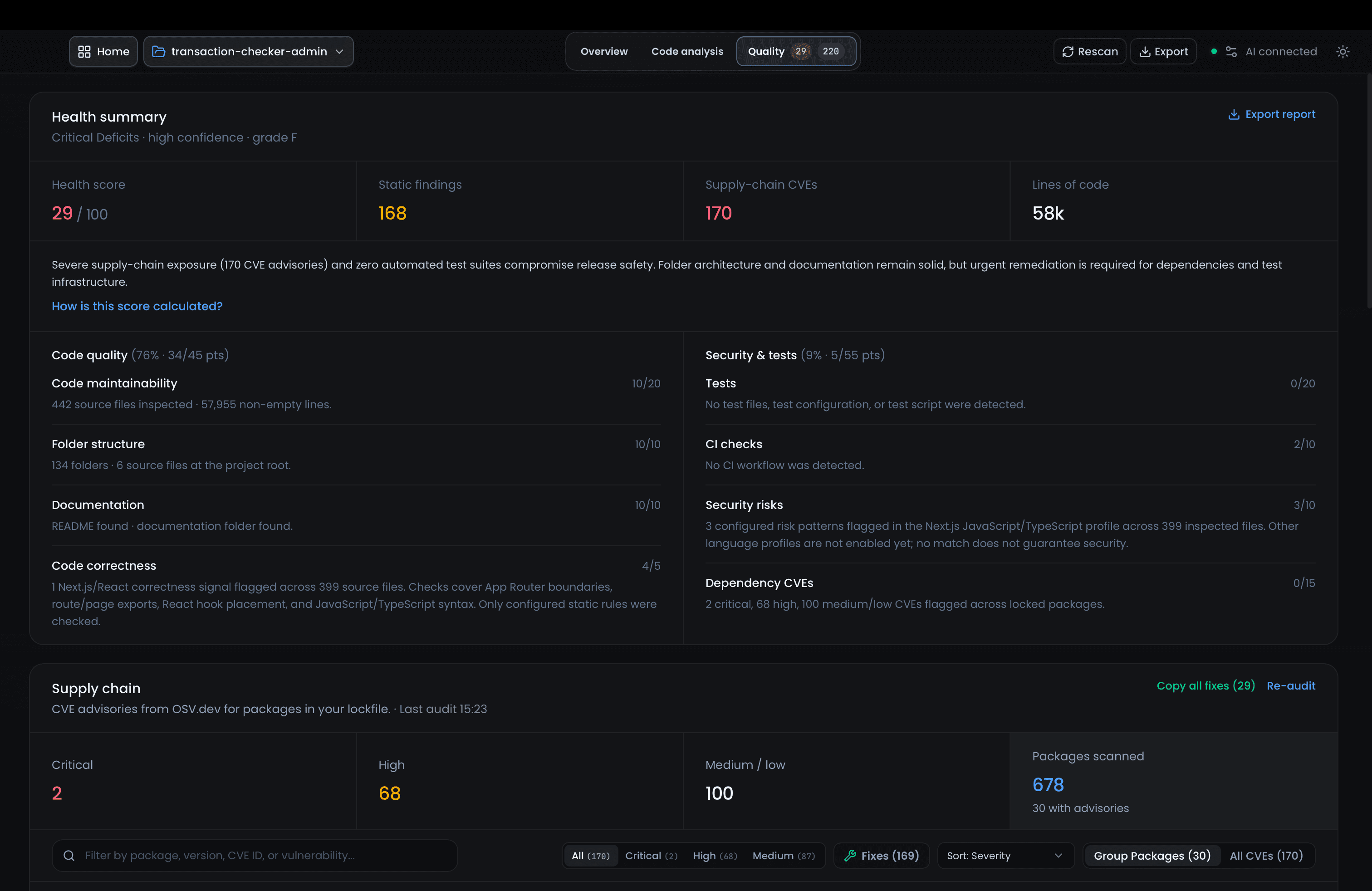
Pick a local folder for overview, tree, dependencies, and quality signals. Deep framework review applies when your stack matches a supported profile.
See supported profiles → inventory-app Scan complete
⌄srcfolder
TSproductsdomain
TSinventorydomain
TScheckoutworkflow
✳Architecture overviewCore modules and entry points mapped
↗ 03 / HAND OFFGive your coding agent a clear starting point.
Preview AGENTS.md, blueprint docs, and IDE rules. Download a zip or write files into a project folder from the desktop app.
MDAGENTS.mdAgent entry pointReady
⌘blueprint/architecture.mdSystem design & decisionsReady
↳.cursor/rulesIDE-specific instructionsReady
Works withCursorVS CodeCodexClaude CodeJetBrains
Works withCursorVS CodeCodexClaude CodeJetBrains
Brownfield analysis
Framework-aware analysis
FAQGood to know before you begin.
blueprint studio works alongside the tools you already use.
Does blueprint studio write my application code?
No. It helps you plan, scan, and export handoff context. Your coding agent or IDE implements the application.
Can I use it with an existing project?
Yes. Scan a local codebase for structure, architecture signals, and quality checks. Deeper analysis applies when the repo matches a supported deep profile (Next.js (JavaScript / TypeScript), TypeScript, NestJS, Node.js, Bun today). See supported profiles for the full list.
Is it open source?
Yes, MIT on GitHub. Forks are welcome; please rebrand if you ship your own product.
Is my data sent to your servers?
No. Specs and scan results stay on your machine. If you turn on AI, requests go directly to the provider you configure.
Do I need AI to use it?
Much of the app works without AI. Greenfield build questions need a configured provider; scans and handoff preview do not.
Browser or desktop app?
Both. The browser build is fine for planning. Use the desktop app for folder pickers and writing handoffs into a repo.
macOS says the app is damaged. What do I do?
Installers are not Apple-notarized yet. After you move the app to Applications, run xattr -cr "/Applications/blueprint studio.app" in Terminal, then open again (or right-click → Open). That clears the download quarantine flag — the app is not actually damaged.
Open source · MIT
Better software starts
with better questions.
Star the repo or open an issue if you get stuck.